


Cybercriminals have always looked for ways to break into computers. In the past, many attacks relied on finding weaknesses in software, exploiting security flaws or spreading infected files.
But as Windows and other operating systems continue to improve their security, criminals are also finding another way in: tricking people into doing the dangerous work themselves.
Instead of finding a technical weakness to bypass your computer's security, they convince you to download and execute malware willingly.
One technique gaining attention is called ClickFix. It uses fake website security checks to trick unsuspecting users into running malicious commands on their computers.
And the worrying part is that you could encounter it while visiting a genuine website that has been hacked.
How scammers trick you into infecting your computer
Imagine visiting a website and suddenly being asked to verify that you are human before continuing.
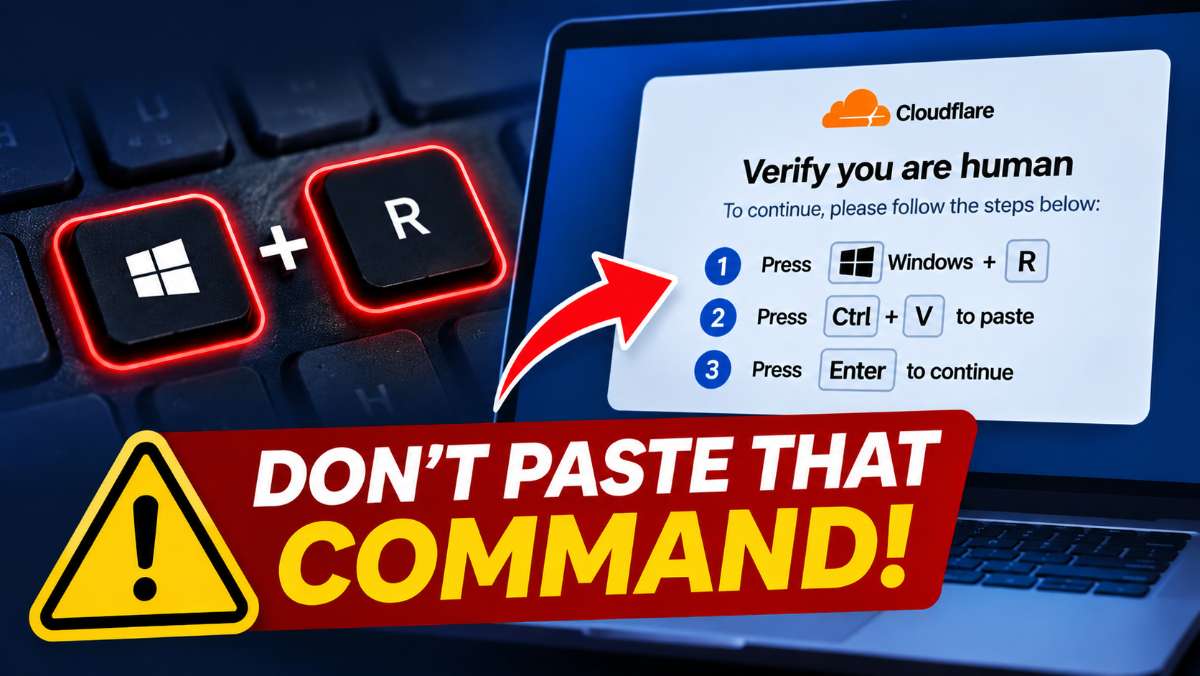
The message looks legitimate, perhaps resembling a Cloudflare security check. But instead of asking you to tick a box or identify pictures, it gives you instructions:
- Press Windows + R on your keyboard.
- Press Ctrl + V to paste something.
- Press Enter to continue.
What you don't know is that the website has secretly copied a malicious command to your clipboard.
When you follow the instructions, you are actually telling Windows to execute that command. It can then download and install malware on your computer.
You haven't downloaded an application knowingly. You haven't opened an email attachment. You have simply followed what appeared to be normal website instructions.
What are criminals trying to steal?
Once the malware runs, criminals could use it to collect information from your computer, including:
- Passwords saved in Chrome and other browsers.
- Gmail, Facebook and other account login details.
- Browser information that could allow criminals to access accounts without your password.
- Personal files and other sensitive information.
Some attacks can also give criminals remote access to your computer.
For someone who uses the same computer for business, banking, email and social media, the consequences could be serious.
Even genuine websites can become traps
Perhaps the most concerning aspect of ClickFix is that scammers are increasingly using compromised legitimate websites to distribute these fake verification messages.
This means you don't necessarily have to visit a suspicious website to encounter the scam. A local news website, business website or another familiar platform could expose you to it if criminals have managed to compromise its security.
I encountered this technique on an international website last month and recently came across it again on a local Zimbabwean website that appeared to have been compromised.
This is why internet users need to become more cautious, even when visiting websites they trust.
How to protect yourself
The most important thing to remember is simple:
No legitimate website will ask you to open Windows Run, paste a command and press Enter to prove that you are human.
If you encounter such instructions, do not follow them. Close the page.
If you have already executed a suspicious command, disconnect your computer from the internet, run a full antivirus scan and change important passwords using another, clean device.
For Zimbabwean internet users, this is an important warning. As more of our daily activities move online, we need to be just as careful about the instructions we follow as the websites we visit.





Commenting is currently turned off.